
Translate Subtitles: How to Translate a Video to English Subtitles and Refine the Result
Learn how to translate subtitles and translate a video into English subtitles without stopping at the first automatic draft. Review the original transcript, edit the translated subtitles line by line, regenerate the audio, and refine the final video with SoulDub.
Many people search for translate subtitles because they already have a video and need viewers in another language to understand it. Some also directly search for translate video to English subtitles: they don’t just want to roughly convert the video content into English, but hope to get accurate, natural English subtitles that are synchronized with the visuals.
Automatic translation can quickly generate a first version of subtitles, but 'can generate' does not mean 'can publish.' Product names, numbers, negations, colloquial tone, and context can all be prone to errors in the initial recognition or translation. If the tool only supports one-time translation, cannot check the original subtitles and translation line by line, and cannot regenerate the voice afterward, then this Video translation often can only remain an incomplete draft.
A truly reliable Video Translation Process should allow you to continue working after the automatic results: check the original subtitles, correct recognition errors, adjust the English expression, then regenerate the target language audio based on the revised text, and finally return to the complete video to check whether the subtitles, sound, and visuals are consistent.
Table of Contents
- Why can't translate subtitles be done with just one click
- The most common mistakes when translating video into English subtitles
- A Modifiable Video Subtitle Translation Process
- How to Edit Subtitles and Regenerate Voice in SoulDub
- Pre-release Checklist
- FAQ
Why can't translating subtitles be done with just one click?
Subtitle translation involves at least three different steps: first, converting the spoken words in the video into original subtitles; second, translating the original subtitles into the target language; and finally, syncing the subtitles and audio back to the video's timeline. An error in any step can affect the final result.
For example, in the original video, someone says a sentence introducing a product by name. If the speech recognition mishears the product name, the translation model will continue to work based on the incorrect text. Even if the English sentence reads smoothly, the audience will still receive incorrect information. Similar problems can also occur with numbers, units, personal names, place names, and technical terms.
Therefore, the focus of translating subtitles is not just language conversion, but also includes:
- Is it possible to view the original recognized subtitles?
- Is it possible to modify the original text and translation line by line;
- Is it possible to retain the time information for each line of subtitles?
- After modification, is it possible to regenerate the target language speech?
- Whether the final subtitles and dubbing used the latest version.
If these steps cannot be completed consecutively, video translation can easily turn into 'automatically generating a file' rather than completing a real video localization.
The most common mistakes when translating videos into English subtitles
1. Errors in the original text were carried into the translation
Background music, accents, multiple people speaking at the same time, or proper nouns can all affect speech recognition. It is usually easier to identify problems by listening to the original audio and checking the original text before translating, rather than directly modifying the final English version.
2. English subtitles word-for-word translation but not like natural expression
English subtitles need to match the viewing context. Tutorial videos should keep the steps clear, product introductions should keep the terminology consistent, and interviews and personal expressions should preserve the speaker's tone. Word-for-word correspondence may retain the original sentence structure, but it can make the English read like a machine translation.
3. Subtitles and images are out of sync
After subtitle translation, the length of the English sentences may change. If not checked in combination with the visuals, the audience may still be reading the previous sentence while the scene has already switched to the next; the subtitles may also have disappeared while the target language speech has not yet finished.
4. The dubbing is not updated after modifying the subtitles
This is a detail that many one-time-use tools easily overlook. You modified the English subtitles, but the old voiceover in the video still plays the original sentences. When the subtitles and audio do not match, viewers immediately feel something is off.
A modifiable video subtitle translation process
A more reliable process can be broken down into four steps:
- Recognition: Generate original subtitles with timestamps from the video.
- Translation: Generate English subtitles or subtitles in other target languages based on the context.
- Edit: Check the original text, translation, terminology, numbers, and tone line by line.
- Regeneration: Use the modified text to generate target language speech, and review it in the full video.
The value of these four steps lies in the fact that human review is not a substitute for machine translation, but rather a part of the machine translation workflow. AI can increase speed, while humans are responsible for judging which expressions are suitable for the current video, brand, and audience.
How to edit subtitles in SoulDub and regenerate the voice
SoulDub keeps the translated subtitles in a workspace that can continue to be edited, rather than treating the first generated result as the final answer. You can complete a more comprehensive 'translate video to English subtitles' workflow in the following way.
Step 1: Upload the video and generate the initial subtitles
Select videos for which you have the right to use and translate, upload them, and let SoulDub recognize the human voice and generate the original subtitles. Don't rush to export yet; wait until both the subtitle and translation versions are generated before starting to review.
Step 2: Review the original subtitles and translation line by line
Start with the most important segments, and check names of people, product names, numbers, units, and negative words. If the original subtitles are incorrectly recognized, first correct the original subtitles; if the original text is correct but the English expression is unnatural, then adjust the target language subtitles.
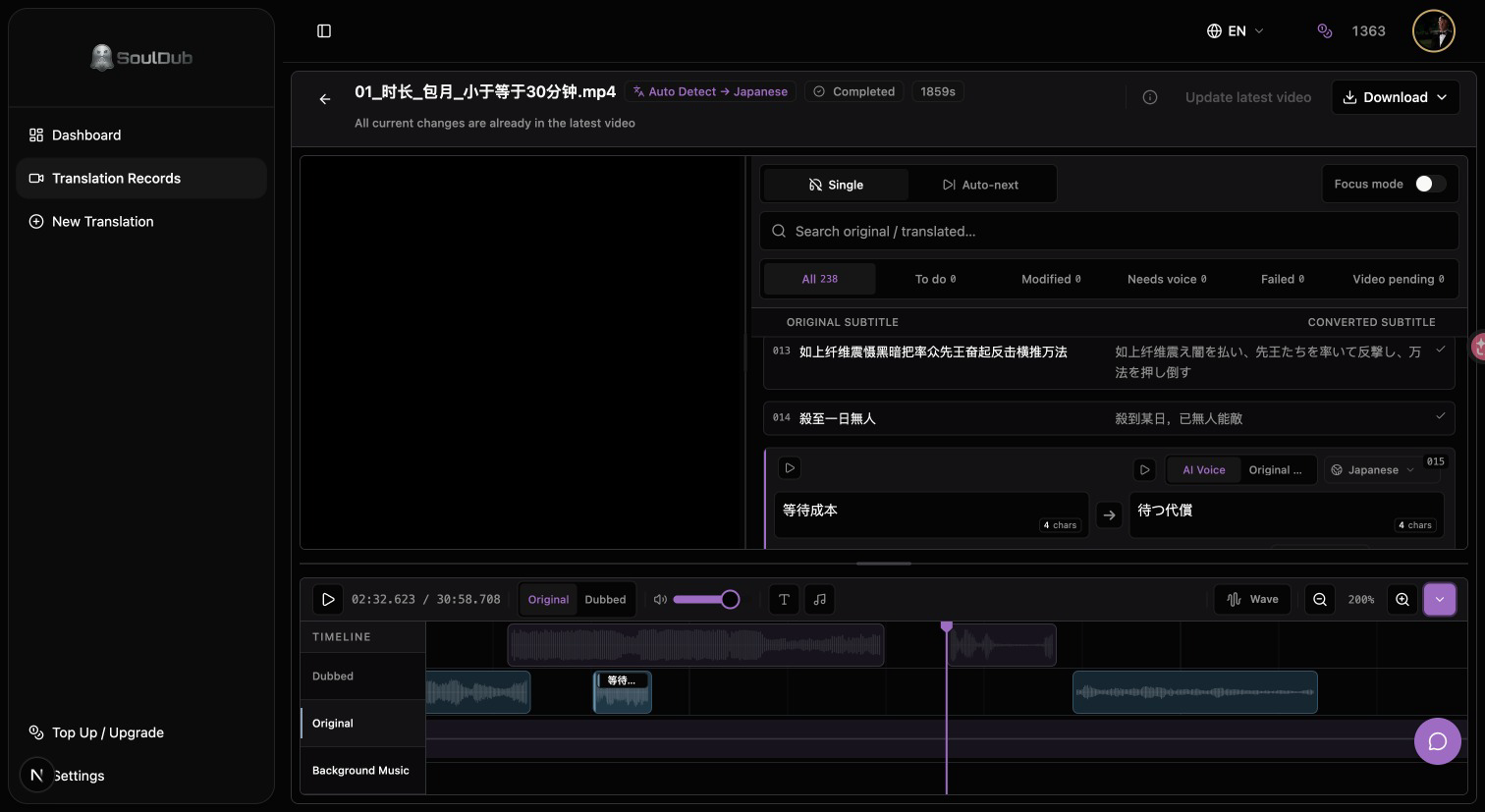
When revising, you don't need to make every sentence more complicated. A better goal is: accurate meaning, natural tone, appropriate length for the scene, and something that the audience can understand the first time they hear or see it.
Step 3: Regenerate TTS speech based on the modified subtitles
After the translation is revised, the corresponding audio segment should be regenerated, rather than continuing to use the old audio. This way, the subtitles, voice, and final video will all use the same latest text.
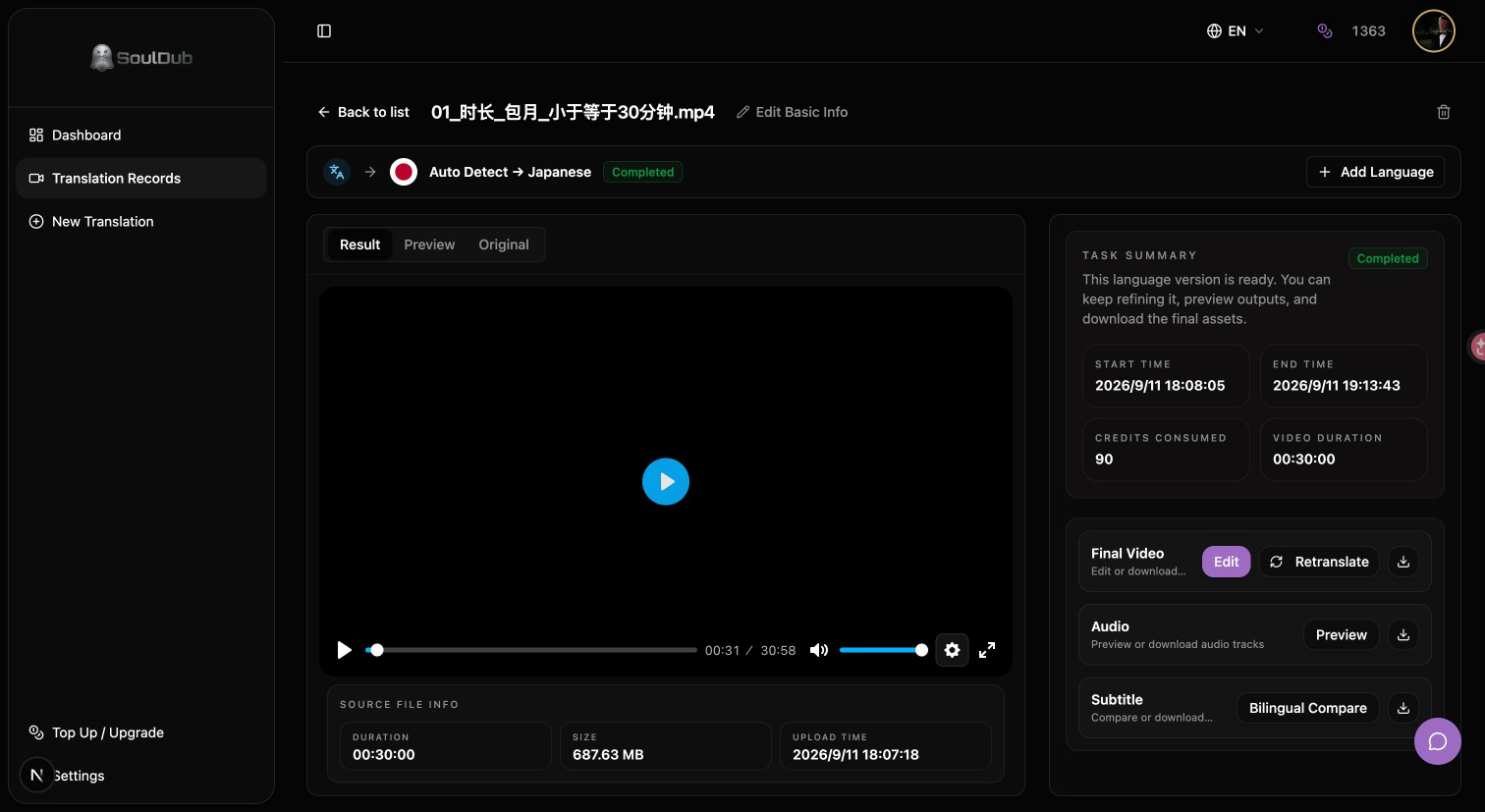
After generation, focus on previewing sentences with pauses, numbers, proper nouns, and emotional changes. For characters with distinct expressions, the speech should not only pronounce words correctly but also try to preserve the rhythm, stress, and emotional direction of the original video.
Step 4: Return to the full video for review
Listening to a single clip alone does not mean the entire video is complete. Please play the final version from start to finish, check whether the English subtitles correctly cover the spoken content, whether the target audio is synchronized with the visuals, and whether the recently edited subtitles have been included in the final output.
You can first test with a short video: Translate video. Choose a product name, a key message, and a pause as checkpoints; this makes it easier to judge the translation quality than just checking whether the task was successfully generated.
Pre-release checklist
Before publishing the results of translating video to English subtitles, you can quickly check the following items:
- Are the names of people, product names, and numbers in the original subtitles correct?
- Does the English subtitle convey the true intent of the original sentence?
- Whether each line of subtitles is easy to read, and whether the display time is sufficient;
- Whether the buttons, charts, or actions in the image match the subtitles;
- Has the modified subtitle been used to regenerate the target speech?
- When playing from the beginning, do the subtitles, dubbing, and visuals use the same version?
- Whether the video has legal rights to translate, modify, and publish.
Frequently Asked Questions
Only translate the subtitles, without generating voice-over, is that okay?
Sure. For silent viewing, course review, or content that needs to retain the original audio, subtitle translation is already very valuable. But if the goal is for the audience to understand the content as if they were watching a local video, it is best to check both dubbing and subtitles together.
Why do I need to regenerate the audio after modifying the English subtitles?
Because the original audio is usually generated based on the old subtitles. Only modifying the text without regenerating the audio will cause the sentences viewers see and hear to be inconsistent.
Can SoulDub only translate all at once?
No. SoulDub supports continuing to view and edit subtitles after the translation results are generated. You can modify the original subtitles or the target language subtitles, then regenerate the speech based on the latest text, and return to the video to check the final effect.
Can subtitles translated by AI be published directly?
It is not recommended to publish by default. AI is suitable for quickly generating drafts, but professional terms, numbers, tone, rhythm, and context still deserve manual checking. Important videos are best finalized by someone familiar with the original content or the target language.
Make video subtitle translation a correctable process
People searching for translate subtitles or translate video to English subtitles usually don't really need a translation button that can only be clicked once, but a workflow that can continue to be modified.
The quality of video translation depends on whether you can identify problems, fix them, and synchronize the edits across subtitles, audio, and the final video. SoulDub puts original subtitle viewing, translation editing, TTS voice generation, and video review into the same workflow, making automatic translation the starting point rather than the endpoint.
Start translating video subtitles, first use a short video to check a terminology, a key piece of information, and a pause, then decide whether to continue processing the full video.
By
Karl Voss
SoulDub product manager, long-term focus on video translation, subtitle editing, AI dubbing, and human-computer collaboration.


