
Video Translator Free: How to start translating videos for free and upgrade to a full workflow when needed
Many people search for 'video translator free' not because they intend to buy a tool right away, but to first verify whether the video can automatically recognize speech, translate subtitles, generate AI voiceovers, and export a watchable version. Free options are suitable for initial testing, but for actual publishing, you still need to pay attention to subtitle editing, voiceover quality, timeline synchronization, and version management.
Many people search for video translator free not because they are initially ready to buy a complete video localization system. They usually just have a very specific question: I have a video, can I first try it for free, automatically recognize the voices in it, translate them into another language, and ideally also generate subtitles or dubbing?
This demand is very real. Creators may want to test whether a YouTube or TikTok video can enter overseas markets; course teams may want to know if teaching Video translation sounds natural after being translated into English; cross-border brands may just want to first verify the multilingual effect of a product introduction video. Free video translation tools are best suited to solve this kind of 'try one first' problem.
But I also found that many free plans can only handle the first small part of the process. To really use the video for publishing, you still need subtitle editing, AI voiceover, timeline synchronization, preview review, and export management. So I tend to treat a free video translator as a starting point rather than a final solution. First, use it to validate the requirements, and then decide whether to enter the complete video translation workflow based on content quality and publishing goals.
Why does everyone search for Video Translator Free
People searching for this term often do not yet have a clear tool preference. What they want is a low-threshold way to try: they don't want to study complex settings first, nor do they want to invest too much budget initially, they just want to know if this video can be translated into another language.
Common scenarios include:
-
I want to translate Chinese videos into English to see if overseas users can understand them.
-
I want to translate the English tutorial into my native language to make it easier for myself to study;
-
Want to test multilingual versions of TikTok, Reels, or Shorts videos;
-
I want to generate subtitles in the target language for the product introduction video;
-
Want to experience AI dubbing and see if the voice-over sounds natural;
-
Want to quickly determine whether a certain video is worth continuing to publish in multiple languages.
These scenarios don't necessarily require completing a full project from the start. Testing a short video for free first is often more in line with the user's decision-making approach.
What can a free video translator usually do
A basic free video translator can usually accomplish a few things. It can upload videos, recognize the voices in the video, convert the original text into subtitles, and then translate the subtitles into the target language. Some tools can also generate voiceovers in the target language or export videos with subtitles.
If you just want to quickly understand the content of a video, this is already very helpful. For example, when you come across an English tutorial and want to know what it is roughly about; or when you have a Chinese product video and want to see how the English subtitles look. The free plan is suitable for making an initial assessment.
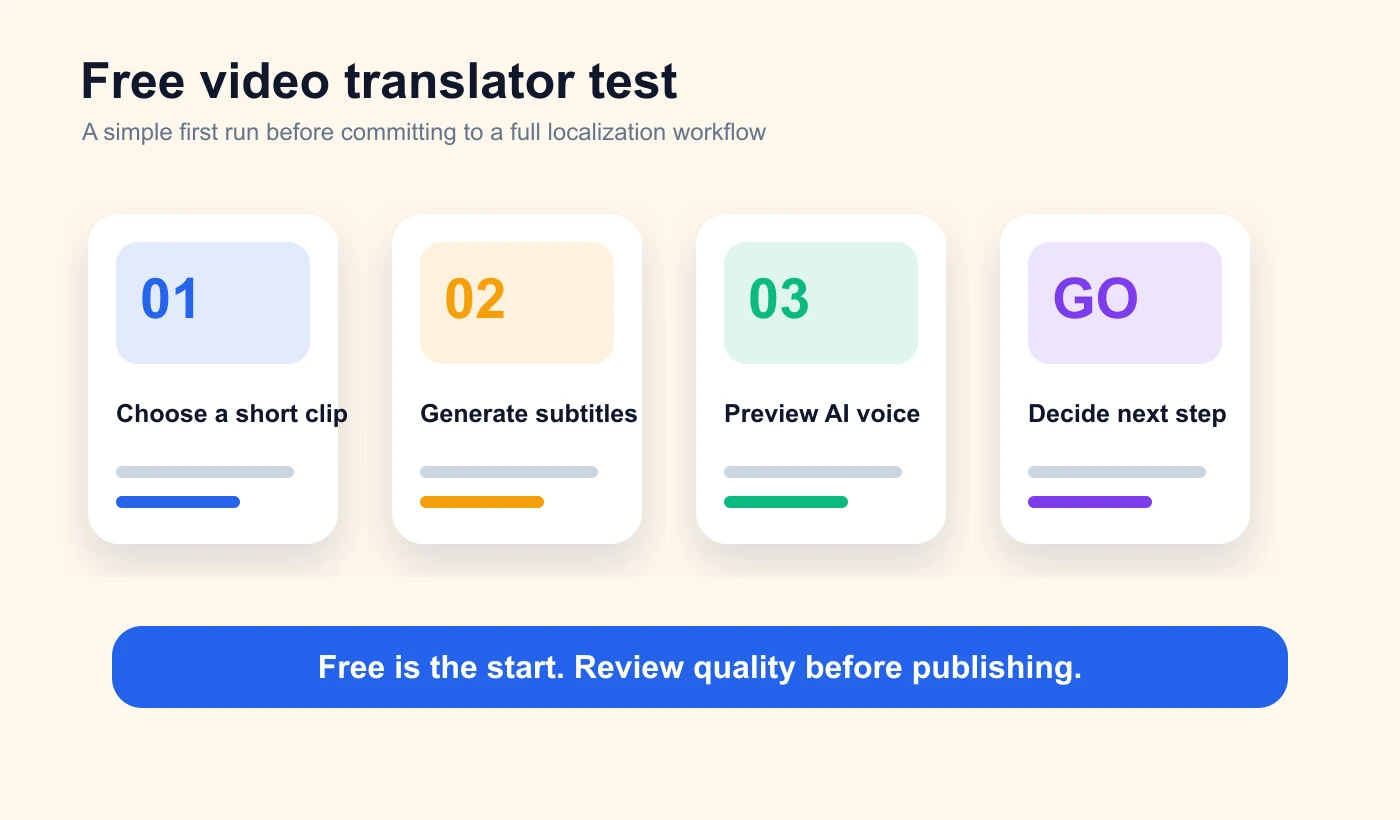
However, video translation is different from ordinary text translation. Videos have sounds, visuals, subtitles, rhythm, and release timing. Simply translating the text may not make it ready for direct release.
Common limitations of the free plan
Free tools usually have some limitations, which is normal. What you really need to pay attention to is whether these limitations will affect your goals.
The most common limitations include:
-
The video duration is limited, only suitable for short segment testing;
-
Exported videos may have a watermark;
-
Supports a relatively small number of languages;
-
AI dubbing quality is unstable;
-
The subtitles cannot be edited in detail;
-
The timeline and dubbing pace cannot be adjusted;
-
Cannot manage multiple language versions;
-
Not suitable for batch processing videos;
-
Unable to meet the review requirements for brand, course, or commercial releases.
If your goal is just to 'understand the video,' these restrictions may be acceptable. But if you want to publish the video on your official website, social media, advertising pages, course platforms, or customer training materials, a more complete process is required.
What should be paid attention to when translating videos for free
When I am testing the video translator free tool, I don’t just look at whether it can generate translation results. I pay more attention to whether the generated results can continue to be edited.
First, whether the subtitles are editable. Automatic recognition and translation inevitably make mistakes, especially with names, brand names, product names, and technical terms. Second, whether AI dubbing is supported. Generating only subtitles is suitable for quick understanding, but if you want the target language audience to watch naturally, dubbing becomes more important. Third, whether you can preview the video. Just because the subtitles look correct does not mean they are suitable once added to the video. Fourth, whether it is possible to export a publishable version. Many free tools are suitable for testing, but export quality, watermarks, and formats may not be suitable for formal use.
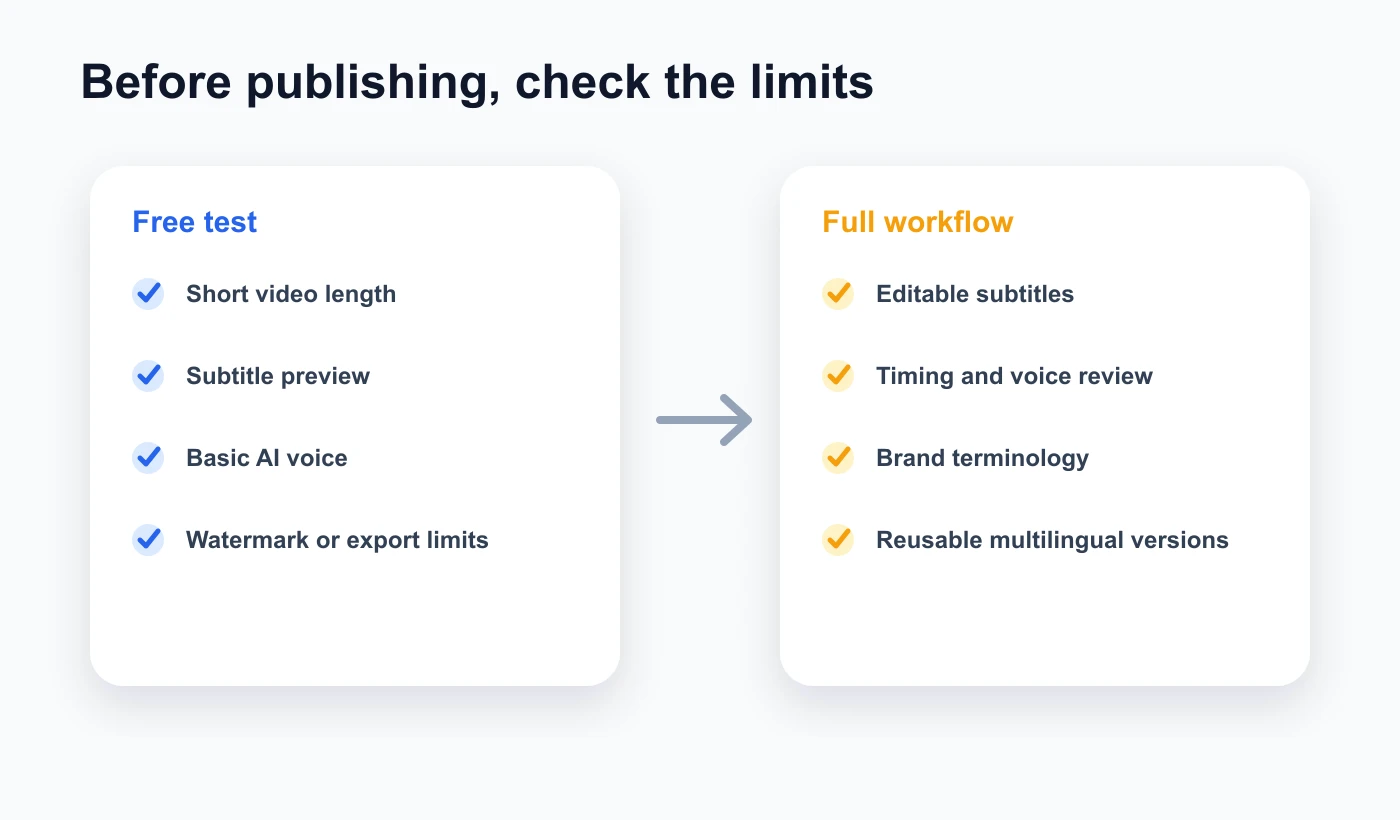
If a tool can only produce results but doesn’t allow you to check and modify them, it is more suitable for temporary understanding and less suitable for content publication.
Start with a free trial using Souldub
If you want to test a video first, you can start with a short video. Choose a video with clear audio, clear visual information, and a simple content structure, and then create a video translation task in Souldub.
The basic process is like this: upload the video, select the source language and target language, generate translated subtitles, check key expressions, then generate AI voiceover and preview it. For the first test, I suggest not starting with a very long video. Start with a 30-second to 2-minute video first, which makes it easier to see whether the subtitle translation, voiceover timing, and export results meet expectations.
If the test results are good, continue processing longer videos, or add more target languages. Doing it this way is more stable than uploading in bulk from the start, and it is also easier to determine whether the tool is suitable for your type of content.
Try translating the video audio now
When the free plan is not enough
When you start using videos for actual publishing, the free plan is usually not enough.
For example, you want to continuously publish multilingual videos on a YouTube channel; you want to put product introduction videos on the English official website; you want to translate course content into multiple language versions; you want to prepare presentation videos for different markets for the sales team. These scenarios are not just about 'translating once,' but require a stable workflow.
At this time, you will be more concerned about these issues:
-
Whether multiple video tasks can be managed continuously;
-
Is it possible to repeatedly modify the subtitles and dubbing?
-
Whether brand terminology can be kept consistent;
-
Is it possible to preview the final published effect?
-
Whether it can export videos suitable for different platforms;
-
Whether it is possible to gradually expand the team to more languages.
From this perspective, a free video translator is more like an entry point. It helps you determine whether video translation is feasible, but for long-term publishing, a complete video localization workstation is still needed.
The difference between free tools and a complete workflow
Free tools usually emphasize 'quick generation.' A complete workflow, on the other hand, focuses more on 'whether it can still be improved after generation.'
For individual users, quickly generating subtitles may be sufficient. But for creators, brands, and course teams, videos ultimately face a real audience. Whether the subtitles are accurate, the dubbing is natural, the timeline matches, and the brand expression is consistent will all affect the viewing experience and conversion effectiveness.
The approach I recommend is: first test a video using free or low-threshold methods to confirm that the content is suitable for a multilingual version; then put important videos into the full workflow for processing. This way, you won't invest too heavily at the beginning, and you won't be restricted by the limitations of free tools when officially releasing the video.
Frequently Asked Questions
Is a free video translator suitable for official release?
It depends on the tools and the video goals. If it is just for personal understanding or small-scale testing, free options are usually sufficient. If it is for a brand, course, advertisement, or commercial release, it is recommended to at least do a one-time review of subtitles, voiceovers, and timelines.
Can free video translation generate AI voiceovers?
Some tools support it, while others only support subtitle translation. Even if AI dubbing is supported, it is recommended to preview the full video to ensure that the speed, pauses, and visual rhythm match.
How long of a video should I test first?
It is recommended to first test videos that are 30 seconds to 2 minutes long. Short videos are easier to check for effectiveness and are also more suitable for determining whether the tool meets your content needs.
Can I continue to create multilingual versions after the free plan?
Sure. If the initial test works well, you can continue to add target languages, or put more videos into the same video translation workflow for processing.
Ending
video translator free is suitable to help you take the first step. It allows you to quickly verify whether a video can be translated into another language without complicated preparation.
But if you really want to release the video to a target language audience, the focus is not just on 'free generation.' You also need to ensure that the subtitles are accurate, the AI dubbing sounds natural, the timeline is synchronized, and the exported version is suitable for use. Free options can help you get started, but a complete workflow helps you turn the results into truly watchable, publishable, and sustainably reusable multilingual videos.
If you already have a video you want to test, you can start with a short segment: upload the video, generate translated subtitles and AI voiceover, preview the effect, and then decide whether to continue processing more language versions.
By
Sugar Vale(舒格·维尔)
Souldub content experience consultant, long-term focus on video localization, AI dubbing, and cross-language content growth.


