How to Translate Video to English Without Losing Your Voice
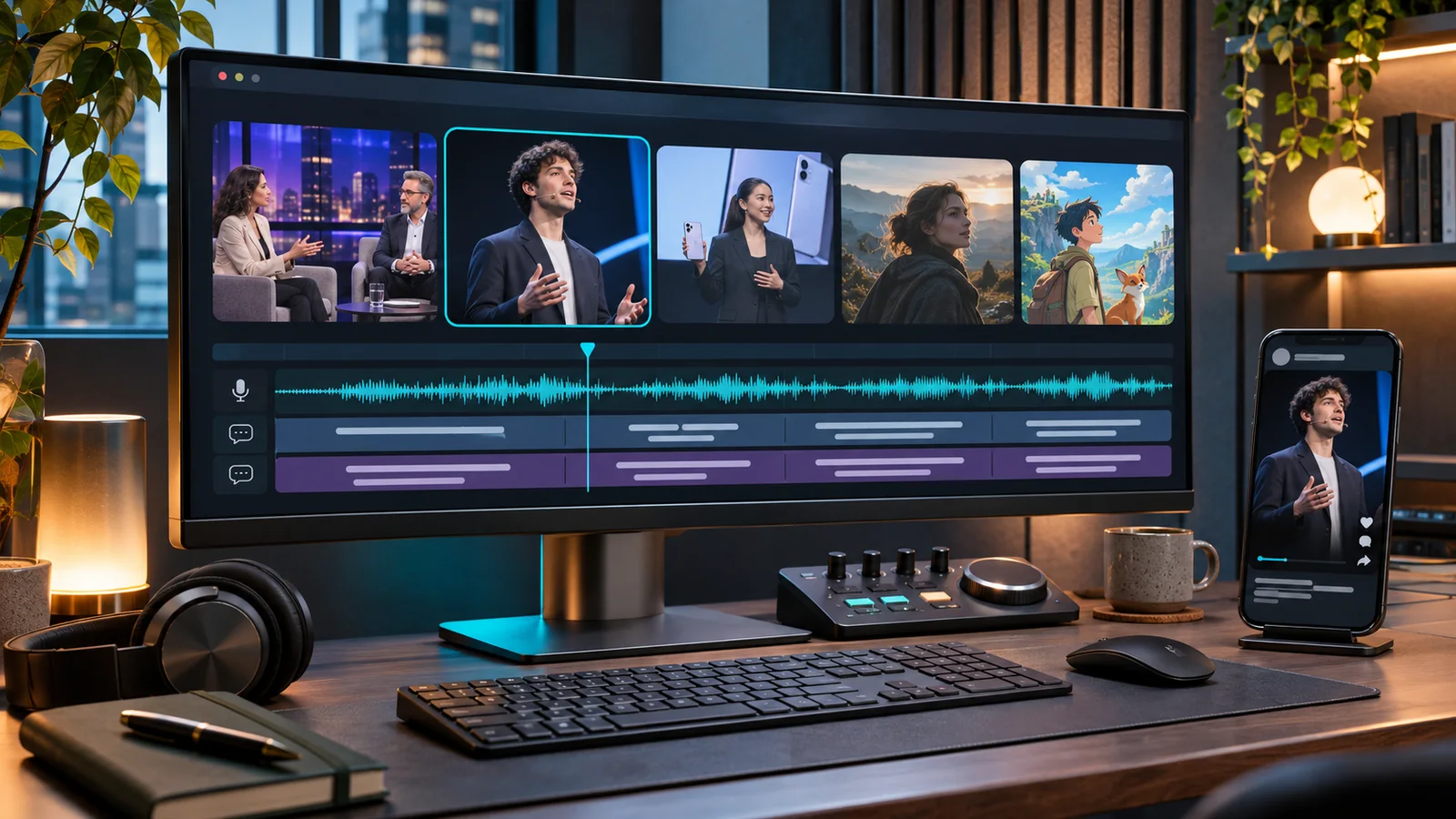
Bring your videos to English-speaking viewers with SoulDub. Review translated subtitles, refine dubbed speech, and keep the character of your original voice.
Your video is ready. The explanation is clear, the visuals work, and the pacing feels right. Now you want to share it with an English-speaking audience.
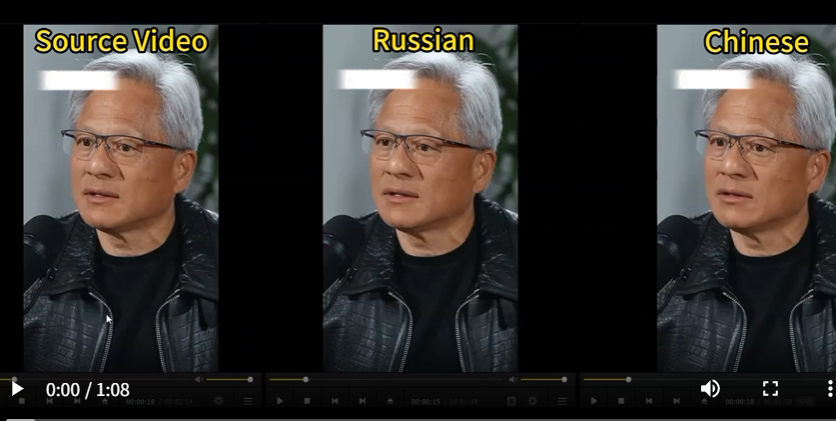
In this example, how do you turn the Chinese dialogue into English?
English subtitles can help viewers understand what you are saying. But in a tutorial, they have to divide their attention between the demonstration and the captions. In a course, they may prefer to listen directly. That is when you need to translate video audio and create an English-dubbed version.
You could record everything again in English. That means translating the script, practicing pronunciation, recording new speech, and matching it to the picture. For a video you have already finished, you may want a simpler route that also keeps the character of your voice.
An AI video translator can help by recognizing speech, translating it into the target language, and generating subtitles and dubbing. Tools with original-voice dubbing can also preserve characteristics of the speaker's voice.
The first result still deserves a review. Are brand names and technical terms correct? Does the English sound natural? Does the speech keep up with the picture? Can you fix a line and regenerate its audio?
This guide uses SoulDub to walk you through uploading a video, creating an English version, downloading translated subtitles, and reviewing the result.
First, Decide What You Need: Subtitles, a Transcript, or English Dubbing
Before you translate the video, decide what you want to receive: readable text, timed subtitles, or a video with spoken English. Each serves a different purpose and calls for a slightly different workflow.
Translated Subtitles: Keep the Original Audio and Make It Understandable
If you want to keep the original speech while making the content accessible to English-speaking viewers, you can export English subtitles. Viewers still hear Chinese and follow the meaning through the captions.
This works well for interviews, documentaries, and language-learning material where hearing the original matters. For demonstrations, however, viewers need time to look at both the subtitles and the action. Caption length and timing are especially important.
Subtitles can also be delivered as separate files. An SRT file contains the text and timing of each caption. You can upload it to a platform that supports subtitle files or import it into an editor for further adjustments.
For example, SoulDub can provide original-language, translated, and bilingual subtitle files, depending on the outputs available for the task.
Translate Video to Text for Reading, Searching, and Organizing
If you mainly need the information in a video, a transcript may be more useful. You might turn a Chinese lecture into English reading material or extract a product explanation for colleagues overseas.
There is an important distinction between transcription and translation. Turning Chinese speech into Chinese text is transcription. Converting that text into English is translation. Check whether your tool produces the original-language transcript or a translated version.
Subtitle files contain text too, but they usually include timestamps and short lines. To use them as a document or article, you will need to organize them into readable paragraphs.
If your AI assistant supports the video's format and length, you can try asking, "Generate a verbatim transcript of this video."
For longer videos, check input and output limits carefully. A dedicated transcription or subtitle translation tool may be a better fit when you need complete coverage rather than a summary.
English Dubbing: Let Viewers Listen Directly
For courses, product demonstrations, and social media videos, English dubbing lets viewers listen to the explanation while keeping their attention on the picture.
Alongside translation, this requires generating English speech and fitting it to the video's pace. Original-voice dubbing also aims to retain characteristics of the speaker's voice, helping different language versions feel familiar. Listen to the result alongside the source to judge how well it works.
Next, we will translate a video into English, producing both English subtitles and English speech from a Chinese source video.
How to Translate Video Online with SoulDub
For this example, the goal is an English-dubbed video with English subtitles, followed by a review of wording, voice, and timing. The steps below follow the SoulDub User Guide. Available options depend on the current task interface.
Step 1: Upload Your Source Video
Open SoulDub in your browser and upload an MP4 video.
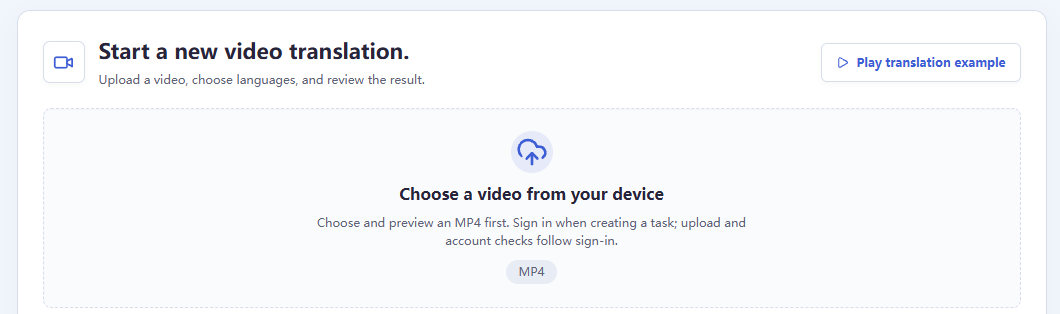
For your first attempt, choose a short, representative clip. This lets you quickly check whether the translated subtitles and voice suit your content.
Step 2: Choose English and Create the Translation Task
Set the target language to English and create the translation task.

The system then processes speech recognition, translation, voice generation, and video merging. You can follow progress in the task details.
Step 3: Review the Subtitles and Correct the Wording
Once the result is ready, open the editor. Compare the recognized source text and English translation with the original video. Start with product names, numbers, units, and technical terms, then check whether the English sounds like something a person would say aloud.
If the original speech was transcribed incorrectly, correct that first, then review the corresponding translation.
Step 4: Update the Speech for Edited Lines
After changing the English subtitles, update the corresponding speech so viewers hear the revised wording. Where the task supports it, regenerate the affected segments and listen to the transitions around them.
Step 5: Update, Preview, and Download the Video
When your edits are complete, update the final video, wait for it to finish merging, and download the latest version. Depending on the available task outputs, you can also download original, translated, and bilingual subtitles, along with available audio files.
Open the downloaded video and check that your subtitle and voice edits appear in the finished file.
How to Translate Video Audio to English While Keeping Your Voice
For creators who regularly appear on camera, voice is part of how an audience recognizes them. The same words can feel different when another person reads them. When translating video audio, accuracy matters, and so does the way the translated speech carries your expression.
SoulDub's original-voice dubbing aims to preserve characteristics of the speaker's voice. Focus on three things when reviewing the result.
Does the Voice Still Feel Familiar?
Choose a passage with clear speech and compare the voice quality and delivery before and after translation. English and Chinese have different sounds, so you do not need every syllable to match. Listen for whether the passage still reminds you of the original speaker.
Does the Delivery Fit the Content?
Instructions in a product demonstration need to be clear. Key points in a course need emphasis. A personal story may carry excitement, hesitation, or humor. These qualities affect how viewers understand the message.
If a line sounds stiff, check the translation first. Is the sentence too long? Does it follow the source language's word order? Try rewriting it as natural spoken English, then regenerate the audio and compare.
Does the Speech Work with the Whole Video?
An English passage can sound fluent on its own but still feel out of place against the picture. When the speaker mentions a button, is that button on screen? Are there awkward pauses between sentences? Are the music and sound effects clear, and is the speech easy to hear?
Preserving your voice is an important goal. The final test is the viewing experience: can English-speaking viewers follow comfortably, and can people who know your voice still recognize something familiar?
What If You Only Need Text or Subtitles?
You do not always need a fully dubbed video. Colleagues overseas may only want to read a product explanation, or you may want to keep the Chinese audio and upload English subtitles separately. In those cases, focus on reviewing and exporting the text.
In SoulDub, review the English after translation, then check the available downloads in the task details. Depending on the task results, you can retrieve translated or bilingual subtitles. Use the options shown in the current interface.
If you are publishing subtitles, check reading pace as well as accuracy. Even a correct sentence is unhelpful if it disappears before viewers can finish reading it. Shorten long lines where appropriate and adjust the caption breaks to suit the picture.
To translate video into text for a readable English document, you can use the translated subtitle text, remove timestamps, and combine short lines into paragraphs. Preserve the sequence of instructions and any necessary explanations so readers can follow without watching.
Bilingual subtitles are useful for review and language learning. Showing the source and translation together makes it easier to check terminology, spot omissions, and discuss changes with colleagues.
Watch the Finished Export Before Publishing
Before publishing, play the exported video all the way through and check:
-
Names, brands, numbers, and technical terms are correct.
-
English speech is clear, and subtitles stay on screen long enough to read.
-
The explanation matches the picture, and background audio sounds appropriate.
-
The final file includes your latest subtitle and voice changes.
Start with a short clip in SoulDub: upload it, translate it, review the result, and export. Listen to your English version before moving on to the full video. Good video translation helps new viewers understand while preserving as much of your expression as possible.
By
Karl Voss
SoulDub Product Manager, passionate about human value in the AI era, human-AI collaboration, and AI product experience.