
What is AI Dubbing? How to use AI dubbing to translate videos into multiple language versions
AI dubbing is changing the way video translation works. It doesn’t just replace one voice with another language, but integrates speech recognition, subtitle translation, AI voiceover, timeline synchronization, and manual review into a single video localization process, allowing creators and teams to produce publishable multilingual videos more quickly.
The first time I seriously paid attention to AI dubbing was because of a very practical problem: the video content had already been filmed and edited, but it was only suitable for viewers who spoke one language. Creators wanted to share the videos in more countries, course teams wanted overseas students to understand the tutorials, and product teams wanted to put the introduction videos on English, Japanese, or Spanish pages. The problem wasn't a lack of content, but that the audio, subtitles, and expressions in the original videos were stuck in the original language.
Traditional methods are usually very cumbersome. First, you find a translator to translate the script into the target language; then, you find voice actors to record; after that, you realign the timeline, adjust subtitles, and edit the audio track. If there is more than one target language, the process becomes even more complicated. This is where AI dubbing adds value: it can combine speech recognition, subtitle translation, AI voice dubbing, and preview review, allowing a video to be converted into multiple language versions more quickly.
Later, I started using Souldub to handle this type of video. For me, the most important thing is not 'automatically generating a segment of sound,' but turning the video translation task into a workflow that can be continuously checked, modified, and exported. In this way, AI is responsible for acceleration, while humans are responsible for calibrating the results to a truly publishable level.
Why AI Dubbing Is Becoming Important
The distribution of video content is no longer limited to a single market. A YouTube tutorial may be searched by users from different countries, a TikTok or Reels short video may spread across languages, and a product demonstration video may be used simultaneously on the official website, sales emails, advertising pages, and customer training.
If the audience cannot understand the sounds in the video, their comprehension of the content will significantly decrease. Subtitles can solve part of the problem, but when the video has a high information density, fast speech, or the visuals themselves are important, it can be tiring for the audience to read subtitles while watching the visuals. AI dubbing allows the target language audience to directly "understand" the video, instead of relying solely on reading.
This is especially important for several types of content:
-
Product introduction and feature demonstration video;
-
YouTube tutorials and knowledge sharing;
-
TikTok, Shorts, Reels short videos;
-
Online courses and training videos;
-
Internal corporate explanation and customer support videos;
-
Cross-border e-commerce product explanation;
-
Creators want to reuse content in multiple language markets.
Problems with traditional video dubbing
Traditional dubbing can of course achieve very high quality, but it usually requires more time, budget, and communication costs. You need to prepare the script, confirm the translation, find voice actors, record, edit, make subtitles, and repeatedly check whether the sound and picture match. As long as the target language increases, the whole process will be duplicated.
What's even more troublesome is that many videos are not one-time projects. Creators release content every week, and product teams continuously update introduction videos. If each video relies entirely on manual translation and manual recording, it is difficult for a small team to consistently maintain multilingual content.
AI dubbing is not meant to completely replace all human work, but to automate the repetitive, time-consuming, and easily stalled parts first. For example, generating translated subtitles and target language voiceovers first, and then allowing the team to focus their efforts on terminology, tone, brand expression, and final review.
What can AI Dubbing solve?
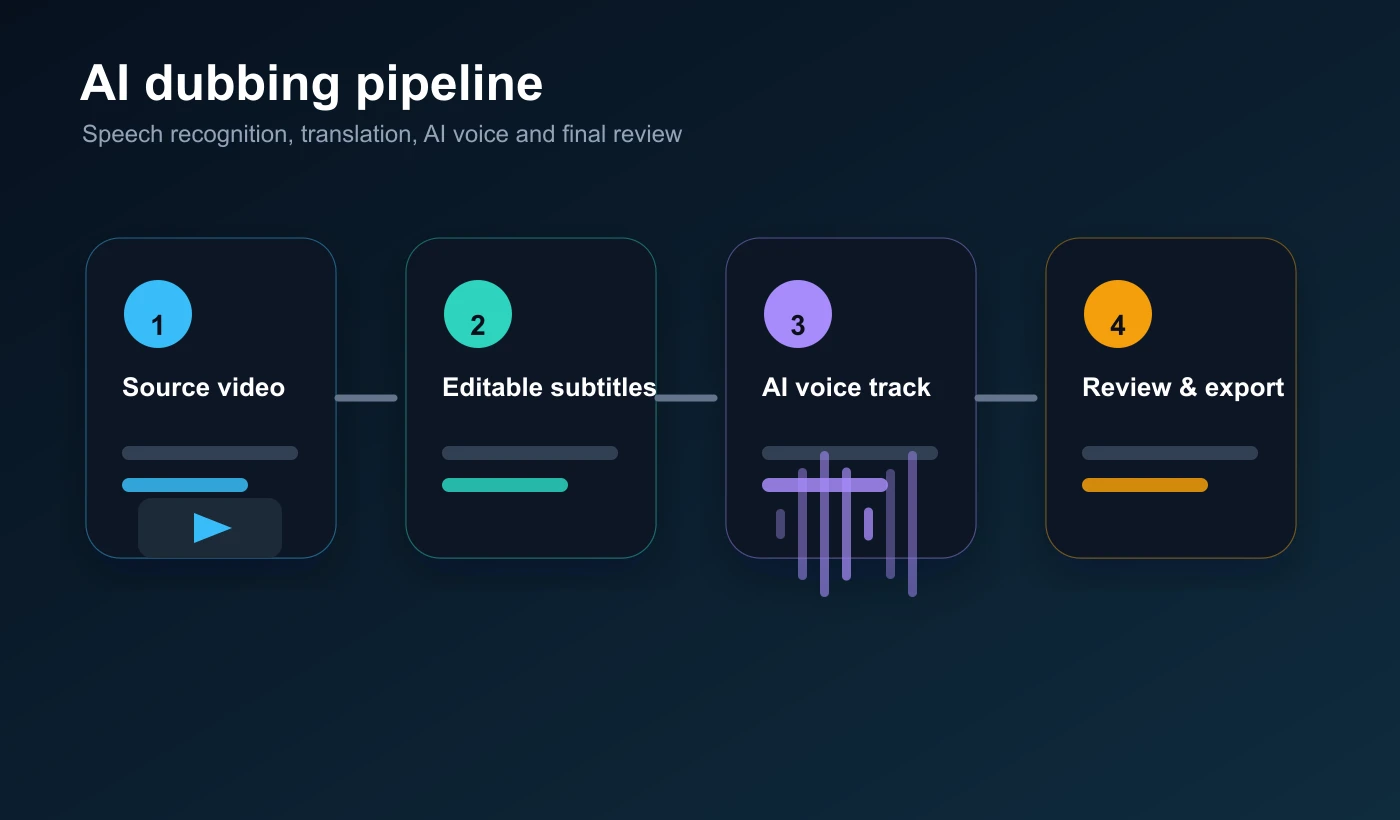
A complete AI dubbing process usually involves more than just 'generating voiceover.' It has to handle at least five things.
First, identify the speech in the original video. The system needs to know what is being said in the video in order to generate subtitle text. Second, translate the subtitles into the target language. This requires not only accuracy but also natural expression in the target language. Third, generate dubbing in the target language so that viewers can directly understand the video by listening. Fourth, synchronize subtitles, dubbing, and the original video's timeline as much as possible. Fifth, provide a manual review option for users to modify subtitles, check terminology, preview effects, and export.
This is also why I don't recommend viewing AI dubbing as just a single-point tool. True video localization suitable for release requires a complete workspace. Otherwise, even if the generated voice sounds pretty good, it may not be ready for direct release due to issues like excessively long subtitles, misaligned timelines, incorrect product name translations, or inappropriate tone.
The process of doing AI dubbing with Souldub
I usually handle a video that requires multilingual dubbing this way.
Step one, upload the video. It can be a product introduction, tutorial, short video, or course clip. Step two, choose the source and target languages. For example, Chinese to English, English to Spanish, Japanese to Chinese, or any other language direction you need. Step three, create a video translation task, allowing the system to recognize the original video voice and generate subtitles. Step four, check the subtitle text, especially brand names, personal names, product features, numbers, and industry terms. Step five, generate AI dubbing and preview the video in the workspace. Step six, adjust subtitles and expressions according to the target market. Finally, export the version in the target language ready for publishing.
In this process, Try translating the video audio now should not just be a single button click. A better approach is to treat it as a complete project: generate first, then review, then export. This step is crucial for brand content, course content, and product content.
AI Dubbing is not just 'translating voices'
Many people, when first encountering AI dubbing, may think it just replaces the original video's voice with the target language voice. But what truly affects the viewing experience is often the details beyond the voice.
For example, the sentence length in the target language may be longer than in the original language. If the subtitle and dubbing pace are not adjusted, the audio may be compressed too quickly, sounding unnatural. Another example is that if there are multiple speakers in the original video, the target language dubbing also needs to preserve the distinction between speakers as much as possible. There are also some specialized terms, brand names, and product feature names that cannot rely on default translations and need manual verification.
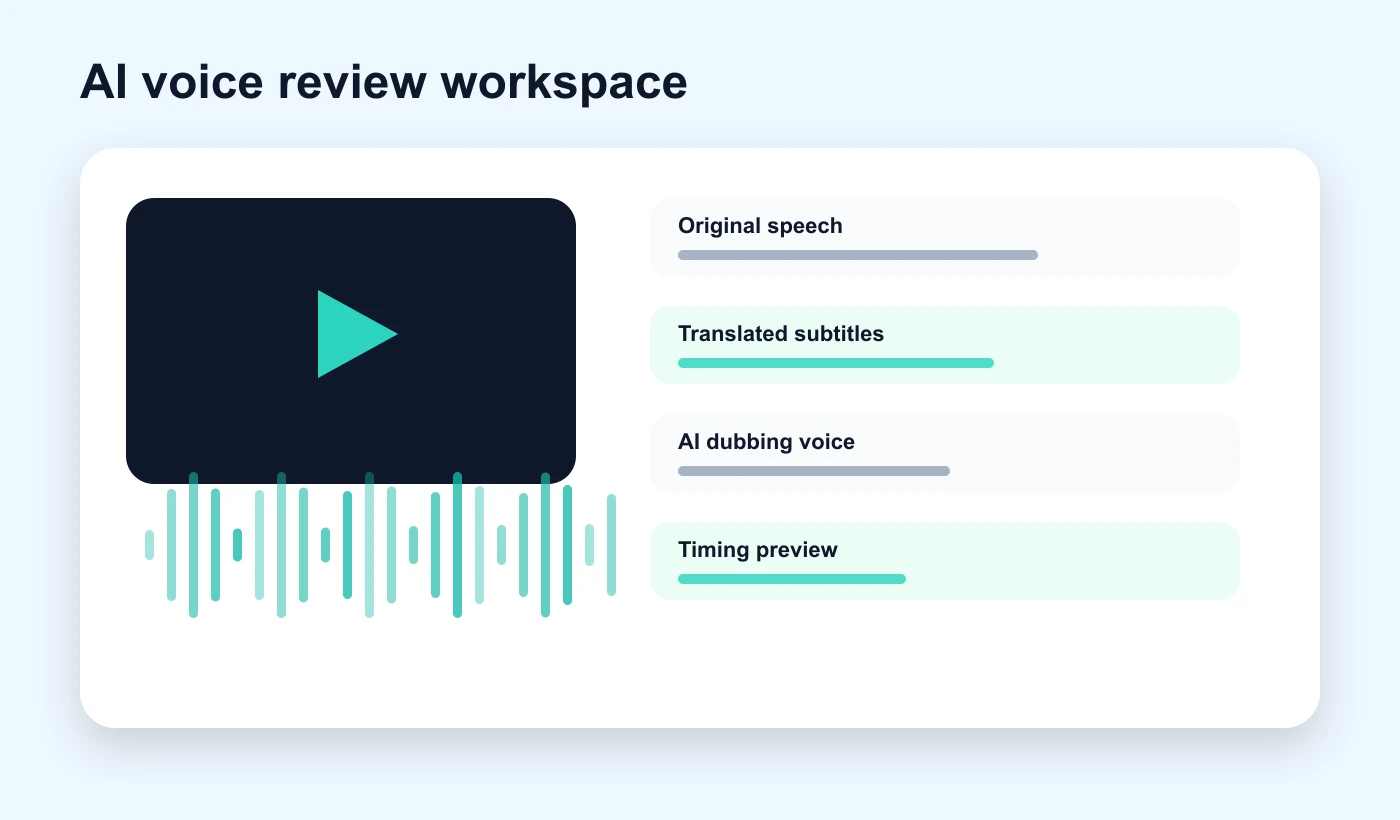
I usually focus on checking these areas:
-
Whether proper nouns remain consistent;
-
Whether the target language is natural, rather than a literal translation;
-
Whether the AI voice-over speed suits the pace of the visuals;
-
Whether the subtitles are too long and whether they block key scenes;
-
Is content from multiple speakers easy to distinguish?
-
Whether the key selling points, steps, and conclusions are clearly expressed;
-
Have you fully previewed the final effect before exporting?
If these details are not handled well, the video may be 'translated,' but it still won't be a video that the target language audience is willing to watch until the end.
Which content is suitable to be tested with AI Dubbing first
If you haven't done multilingual videos yet, I recommend starting with short and clear videos. For example, a 30-second to 2-minute product introduction, a segment of a course, a clip from a YouTube tutorial, or a short video that has already performed well locally.
The reason this type of content is suitable for testing AI dubbing is simple: the information structure is clear, the risks are controllable, and feedback is easy to observe. You can first choose a target language version, export it, and send it to colleagues, users, or a small audience in the target market to see if they can understand it naturally. Once the effect is confirmed, you can then expand to more videos or more languages.
If you are a creator, you can first choose videos with higher views or interaction performance; if you are a business team, you can first choose the videos that are most frequently reused by sales, customer service, or user education. In this way, the value generated by AI dubbing will be more easily noticed.
Limitations and Considerations of AI Dubbing
AI dubbing can significantly reduce the threshold for video translation, but it does not mean that proofreading can be completely skipped. Especially in scenarios such as commercial releases, course content, legal compliance, healthcare, and financial explanations, human review is even more necessary.
I will pay special attention to three points. First, terminology must be consistent. Product names, feature names, and brand slogans should not be translated differently each time. Second, the tone should suit the target audience. The same sentence may be expressed differently when used in advertisements, tutorials, and internal training. Third, copyright and authorization must be clear. Before handling videos, you should confirm that you have the rights to upload, translate, dub, and publish the content.
This is also why I prefer to use tools with a workspace, rather than tools that only generate once. Video localization is not 'finished after generation'; after generating, it still needs to be checked, modified, and published.
Ending
The significance of AI dubbing is not just to give a video an additional voice, but to allow content that originally belongs to a single language market to have the opportunity to be understood by more people.
If you already have a well-performing video, you can start with one target language: upload the video, generate subtitles and AI voiceover, check the terminology and timeline, and then export the target language version. This process is much lighter than traditional dubbing and is also more suitable for teams that continuously publish content.
For creators, AI dubbing can help content enter new language markets. For product and education teams, it can make existing video assets easier for global users to understand. What really matters is not to treat AI dubbing as an automatic voice replacement, but to treat it as a video localization process that can be reviewed, managed, and sustainably scaled.
By
Sugar Vale(舒格·维尔)
Souldub content experience consultant, long-term focus on video localization, AI dubbing, and cross-language content growth.


