
Video Voice Translation: How to Translate the Voices of People in Videos Without Losing Their Original Expression Features
Video voice translation is not just about replacing the language; it also aims to preserve the original timbre, emotion, rhythm, and expression of the characters. This article explains how to combine subtitle translation, manual proofreading, AI dubbing, and voice editing to create a more natural localized version of the video.
How to translate the voices of characters in a video without losing their original expressive characteristics
Generally, when mentioning Video translation (video voice translation), it refers to using a preset voice to replace the original voices in a video. It can indeed translate the original spoken content into different languages, but after a video is translated, although each sentence is understandable, it doesn't quite feel right: it lacks the flavor of the original video characters' speech, that particular style.
This is exactly the problem that original audio video human voice translation needs to solve: not only allowing the audience to understand another language, but also trying to retain the expressive features that viewers already like in the original video.
The so-called original voice video voice translation refers to converting the spoken content in a video into the target language and generating audio that matches the visuals. Some tools also provide translation subtitles, voice editing, and synchronization of characters' lip movements.
Especially the video voice editing feature, if you want higher-quality videos in the translation, you must personally check and proofread as a human and make targeted adjustments to the results.
What is video voice translation? How is it different from subtitle translation?
A typical video voice translation process includes: recognizing the original speech, translating the text, generating dubbing in the target language, and then combining the dubbing with the video. Subtitles may also be generated at the same time.
Compared with simple subtitle translation, the most intuitive difference is that the audience can directly hear the target language with a timbre, emotion, and rhythm similar to the original voice of the characters in the video, without always having to rely on reading the text on the screen to understand the content, or watching the video while listening to a voice that clearly does not match the speaking style of the original characters.
A few easily confused concepts can be distinguished like this:
Automated audio translation is the same. Unlike video translation, audio translation does not require audio-visual synchronization, whereas video translation not only needs to be accurate in translation but also must consider whether the sound and visuals are coordinated. For example, even if an instruction is correctly translated, if the relevant button has already disappeared from the screen, the audience may still not be able to follow.
How to translate higher quality videos?
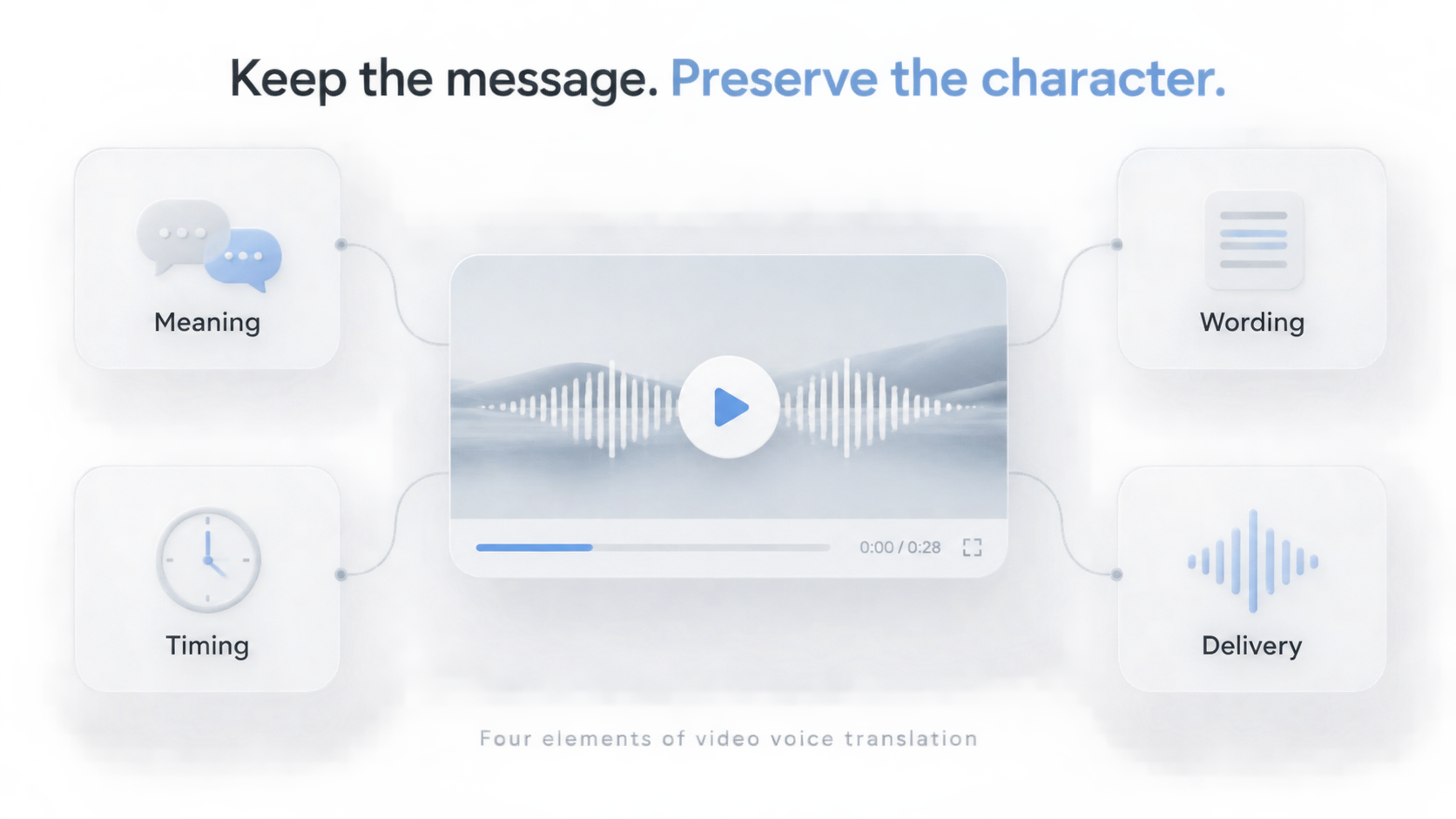
First retain the meaning and intent of the subtitle translation
For example, tutorial videos require accurate steps, product demonstration videos need clear explanations of functions, and personal story videos require a complete emotional background.
Even small changes can alter the meaning: 'You can turn off this setting' and 'You should turn off this setting' are not the same. Product names, numbers, units, and negative words are all worth checking first.
No matter how beautiful the voice is, it cannot make up for the problem of information being mistranslated.
Make the translation sound like spoken language, not a stiff manual.
A translation that is suitable for reading is not necessarily suitable for being read aloud. Word-for-word correspondence sometimes preserves the sentence structure, but loses the original natural expression.
The criterion is not the shorter the better, but accuracy, naturalness, and conformity with the relationship between the speaker and the audience.
Maintain necessary pauses and rhythm
Expressing the same meaning in different languages does not require the same amount of time. A translation that looks short may seem rushed when placed in a video segment.
Check whether there are pauses before important information, whether there is breathing room between consecutive instructions, and whether the explanation keeps up with the changes in the camera shots. If necessary, simplify the wording without losing information, which is more appropriate than forcefully inserting more words.
Restore the original voice of the video characters as much as possible
In addition to making sure that the subtitle translation is natural, accurate, and matches the rhythm of the visuals, the voice of the video character should also retain, as much as possible, the original tone, emotion, and rhythm when speaking the translated lines. Imagine a character you like suddenly being able to speak to you in the language you expect — isn't that an amazing experience! Therefore, products that provide voice translation in videos should also offer the ability to automatically restore the original voice of the video character and provide the option to regenerate the same segment of speech multiple times, so that we can achieve the most satisfactory translation results.
After automatic translation, why is proofreading still necessary?
The automatically generated version is one that can be evaluated, not a guarantee that every sentence is suitable for immediate publication.
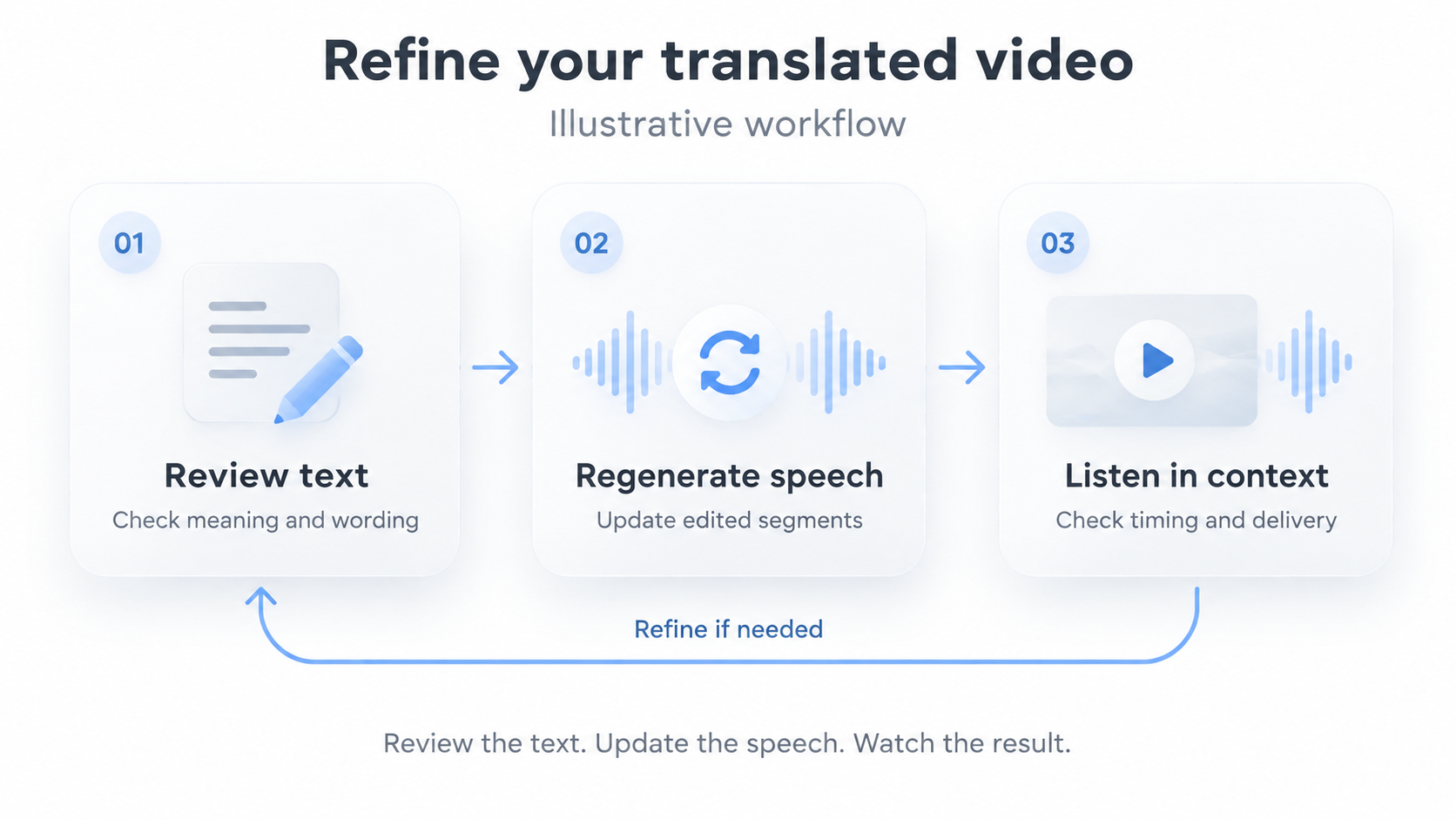
It is recommended to first check the original text recognition, then check the translation, and finally combine it with the video and audio for review. Background noise, multiple people talking over each other, and unfamiliar proper nouns can all cause errors to appear even before translation begins. If the product name in the original text is recognized incorrectly, no matter how smooth the subsequent dubbing is, this problem cannot be solved.
During the translation stage, focus on checking the meaning, terminology, numbers, and naturalness of spoken language. During the listening stage, pay attention to pronunciation, pauses, and the coordination between narration and visuals. This sequence can help you find exactly where the problem occurs, rather than repeatedly revising areas that have no issues.
If you don't understand the target language, it's best to have someone familiar with the language review important content. Back-translating the translation can help check some information, but it cannot prove that the actual dubbing sounds natural.
How to check and improve translation results in SoulDub?
SoulDub combines automatic subtitles, translation, and AI voiceovers, and provides text proofreading as well as opportunities for humans to adjust voice segments. Therefore, it's worth paying attention not only to whether videos can be generated, but also to whether human intervention can continue to improve them after issues are found.
Step 1: Start with a representative short video
Choose materials for which you have usage rights, translation rights, and related audio authorization, such as short tutorials, product explanations, or personal introductions.
It's best to include a product name, a deliberately placed pause, and a sentence you most want the audience to remember. This way, there will be a clear reference point for checking after generation.
Upload the video, select the currently supported language, and create the task.
Step 2: Check the original subtitles against the translated text
First, listen to the original audio while reading the recognized text, correct errors in names, numbers, and terms, and then determine whether the translation accurately conveys the original meaning.
SoulDub provides functions for checking and editing the original text and translated subtitles. When making modifications, you can ask yourself: Can the target audience understand this sentence the first time they hear it? Does it match the tone of the original video? Are any necessary conditions omitted?
Don't rewrite every sentence just because another way of saying it is also valid. Prioritize addressing issues that would affect understanding or viewing experience.
Step 3: Regenerate the audio as needed
Modifying the text will not automatically update the voice-over or the final video that has already been generated. After adjusting the translation, you should regenerate the relevant audio according to the available operations in the task and confirm that the final output uses the new version.
The specific operations and available functions depend on the task status. When dealing with sentences that are difficult to express, making one clear modification at a time makes it easier to determine whether the improvement comes from shortening the wording, correcting terminology, or adjusting the sentence structure.
Step 4: Complete audio-visual review combined with the visuals
Listening to each segment individually poses no problem, but when played together, they may still seem abrupt. Therefore, before exporting, you should play the video from start to finish, check whether the audio, subtitles, and key visuals are consistent, and confirm that the latest edits have been incorporated into the final video.
You can first do a small experiment: translate a short segment of the video in SoulDub, focusing on one name, one pause, and one key piece of information. Compared to just checking whether the file was generated, this makes it easier to determine if the result suits your content.
Frequently Asked Questions
Is video voice translation the same as voice cloning?
No. The former changes the language, while the latter simulates certain characteristics of a specific voice. Souldub, on the other hand, combines both and goes further, without needing voice samples for cloning other than those in the video.
Can AI fully preserve the original speaker's emotions?
This should not be regarded as a guarantee. The effect depends on the system's capability, the material, the translation, and the context. The focus should be on whether the tone and emphasis support the original intended meaning, not just whether the timbre is similar. That said, souldub has made efforts to preserve this aspect, and we look forward to you trying it yourself.
After the translation and dubbing, are subtitles still needed?
Subtitles are still valuable: they can help viewers who watch in silence, as well as deaf and hard-of-hearing audiences, and they also make it easier to understand unfamiliar names and technical terms. After modifying the dubbing, remember to check the subtitles for synchronization.
Can the translation of SoulDub be modified?
You can check and edit the original and translated subtitles, and you can also edit audio clips. After making changes, you need to confirm whether the dubbing and the final output are synchronized, based on the current task interface.
Let expression transcend language, rather than just replacing words
The meaning of video translation is to allow another group of viewers to understand content worth sharing. Accurate meaning, natural wording, appropriate pacing, and clear sound together constitute this experience.
You don't have to start with the entire video library. First, choose a segment of familiar material and a target language, generate, proofread, listen, and then determine where improvements are needed.
Translate your first video with SoulDub, start with an attempt that has a clear inspection goal, and see what your expression would be like in another language.
By
Karl Voss
SoulDub product manager, long-term focus on video translation, AI dubbing, human-computer collaboration, and cross-language content experiences.


